Posts

Showing posts with the label Experimenting

Preview Animation

Mockup of conceptual design proposal Animation To showcase the design proposal's idea of the game, a short animation was made to explain how the VR game worked, how it is related to the research topic. The video shocases, the tech used, how the game works and how to brings people closer. Here's a video of the animation video below.

Creative Interactive Games

Image
At the start of the term we were told to prepare a final presentation for design proposal. For my design proposal I was fascinated by creative interactive games that I wanted to do more research on them. As a result my final design proposal is an interactive VR -game.   Virtual reality gaming is the application of a three-dimensional (3-D) artificial environment to computer games. Virtual reality environments are created with VR software and presented to the user in such a way that they supersede the real-world environment, creating suspension of disbelief and helping the user experience the VR environment as real. At its simplest, a VR game might involve a 3-D image that can be explored interactively on a computing device by manipulating keys, mouse or touchscreen. More sophisticated and immersive examples include VR headsets , wrap-around display screens and VR rooms augmented with wearable computers and sensory components, such as scents and haptics devices for tactil...

Creative Experiment #2

Image
3.2            Marker based Augmented Reality Video Playback In this experiment, once again Unity was used as the interactive software to create the marker-based AR project. This experiment does not require to build the application into an .apk file as the interaction can be observed from the computer’s webcam. Step 1: Open a new project in Unity. Right click on the Hierarchy Area and hover on Vuforia engine to select AR Camera. Delete the main camera. After doing so, open Vuforia Configuration on the inspector box and apply a license key which can downloaded from the Vuforia’s official website. Figure 3.2.1 Step 2: To get a License key visit https://developer.vuforia.com/vui/develop/licenses . After signing up click on Get development key. Figure 3.2.2 Step 3: After entering the appropriate License Name, check the box down below and hit confirm. Now I license key is made. Figure 3.2.3 Step 4: S...

Creative Experiment #3

Image
3.3            Interaction with AR Object using Leap Motion For this experiment, Leap Motion sensor is used with an older version of Unity 5.51f1 along with LeapMotion_CoreAssets_4.1.6 and Interaction_Engine_0.3.1. Open a new project on Unity 5.5, Step 1: Import the Packages “LeapMotion_CoreAssets_4.1.6” and “Interaction_Engine_0.3.1” into the project file. Step 2: Find the “Leap_Hands_Demo_Desktop” scene under Leap Motion > Examples > Scenes and open the scene. Step 3: Create a 3D object Plane and position it (0, 0, 0) on (x, y, z) axes. Step 4: Create a two 3D Object Cube and scale it appropriately and place it on the plane. Step 5 : Create Materials to differentiate the colors of the cube from each other and assign them accordingly. Also Click on Add component to add the Rigid Body script to each of them individually. Step 6: Find the “InteractionManager” Prefab and drag it onto t...

Creative Experiment # 1

Image
3.1            Marker-less Augmented Reality In this experiment, Unity was used as the interactive software to create the marker-less AR project. For this experiment to work the necessary tools that was installed are, Unity 2018.3.5f1 and Android Studio 3.3. The Vuforia package was built into this version of Unity. It is important to locate the correct paths to the SDK location, so that the build can be done and stored locally in the computer. The player settings need to be adjusted accordingly as well. A short tutorial was followed for this to be done correctly. Figure 3.1.1: Jayanam. (2017, August 24). Unity Android Tutorial : SDK, Build and Publish [Video file]. Retrieved from https://www.youtube.com/watch?v=1yLDxIMuRlo Step 1 : Open a new project in Unity. Go to File > Build Settings > Select Android and hit switch platform. Right click on the Hierarchy Area and hover on Vuforia engine to select AR Camera. After d...

Understanding AR with Vuforia

Image
My previous research led me to finding a plugin that is used within Unity to create AR apps. The plugin responsible for this is Vuforia. Vuforia a software development kit for creating AR related apps for mobile devices. It's able to map certain points of an object that is identified as an unique pattern to assign an Augmented object to it. A popular example that uses the AR and rose it's popularity worldwide in a short period of time is PokemonGo.     (The Washington Post,2013)    What is AR? and what does it mean for us? (as explained by IDC) Augmented reality (AR) technology is here now, and companies of all shapes and sizes are utilizing it to change the way work gets done and to drive better outcomes for themselves and their clients. IDC believes that service-based organizations should be among the first to embrace this new technology or they could face near-term disruption of their business. Beyond the service elements within a wide range of ent...

Youtube Tutorial

Image
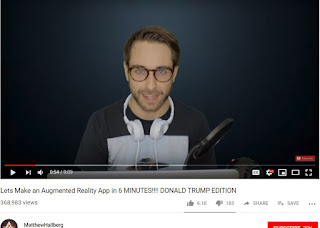
To get hands on with unity I went on Youtube to understand how to create AR apps using unity. I found this tutorial on how to make an Augmented Reality App in just 6 mins!  He explains what are the requirements that are needed to create a functioning AR app and how to program it. The video was easy to understand and I recommend it to anyone who's like me getting their first hands on experience in AR and unity. The Youtube Channel that I visited was: MatthewHallberg. This tutorial led me to finding another software  plugin that is used to create AR called Vuforia which I will explain in my next post. References: 1)  https://www.youtube.com/channel/UClm2DY6pj3ygKoKhEVr7KFw

Unity

Image
Unity is a cross-platform game engine. It's used for creating not only games but also interactive projects, architectural projects, movies, VFX etc. Unity is quite user-friendly and it enabled me to use it to create an AR object that can be projected onto a physical marker and marker-less surface. There is a whole blog dedicated to what can be done using unity from their official website.  Without further hesitation I decided to get hands on with Unity follow some tutorials to achieve something similar to what I saw during my field trip. References: 1) https://www.mcvuk.com/.image/c_limit%2Ccs_srgb%2Cq_auto:good%2Cw_768/MTUzMDY4NjM3MTYwODc1NjQw/unity-logo-simplejpg.webp 2) https://blogs.unity3d.com/?_ga=2.67406481.1406225317.1550132284-1633188824.1550132284 3) https://store.unity.com/